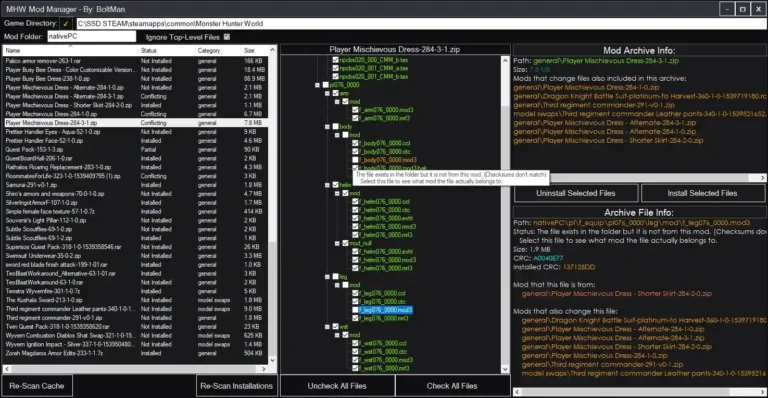
Stracker’s Loader is a mod for Monster Hunter World that enables the game to load custom content from the nativePC folder, making it necessary for many other mods to work properly. It also includes features from the previous Quest Loader, supporting custom quests and monsters. There’s no known ban system for using mods, and it’s generally considered safe, but be cautious with mods that could impact multiplayer fairness.

Features and Details
- Research suggests Stracker’s Loader is essential for many Monster Hunter World mods, restoring nativePC functionality.
- It seems likely that installation involves extracting files into the game’s main folder, with compatibility for the latest game patches as of March 2025.
- The evidence leans toward it being safe to use, with no ban risks reported, but users should avoid mods that affect multiplayer unfairly.
Stracker’s Loader restores full nativePC functionality, allowing Monster Hunter World to load custom content from the nativePC folder. This is a critical feature for modding, as it enables the game to recognize and integrate modifications such as custom quests, monsters, and other gameplay enhancements. The mod also implements features from the previous Quest Loader, which historically supported custom quest loading, expanding its utility to include monster and quest modifications. An unexpected benefit is that it can help with loading custom quests and monsters, enhancing gameplay beyond just enabling other mods.
The mod, created by Stracker, is essential for many other mods to function properly, particularly those requiring nativePC folder support.
|
Category |
Details |
|---|---|
|
Mod Name |
Stracker’s Loader |
|
Description |
Restores full nativePC functionality. Implements previous Quest Loader’s features. |
|
Author |
Stracker |
|
Original Upload Date |
January 18, 2020, based on Nexus Mods publication date |
|
Last Updated |
June 6, 2024, with version 4.0, compatible with patch 15.22 |
|
Requirements |
Monster Hunter World PC version, basic mod installation knowledge |
|
Compatibility |
Compatible with latest game patches as of March 2025, marked as safe to use |
Additional Information
The primary purpose is to serve as a foundation for other mods, making it a prerequisite for many popular modifications, such as the “Performance Booster and Plugin Extender” mod. Its ability to handle custom content is particularly valuable for players looking to personalize their experience, such as adding new quests or altering monster behaviors. An unexpected benefit, as noted in user discussions, is its role in enabling complex modding scenarios, such as custom quest loading, which can significantly extend the game’s replayability and customization options.
Installation and Compatibility
Installing Stracker’s Loader is straightforward, but requires attention to detail to ensure proper functionality:
Installation Steps:
- Download the Mod: Obtain the latest version from the above download link. As of March 16, 2025, version 4.0 is the most recent, uploaded on June 6, 2024.
- Extract the Files: Use a file extraction tool like WinRAR or 7-Zip to open the downloaded file. Extract the contents into the main game directory, where MonsterHunterWorld.exe is located. This is typically found at C:\Program Files (x86)\Steam\steamapps\common\Monster Hunter World.
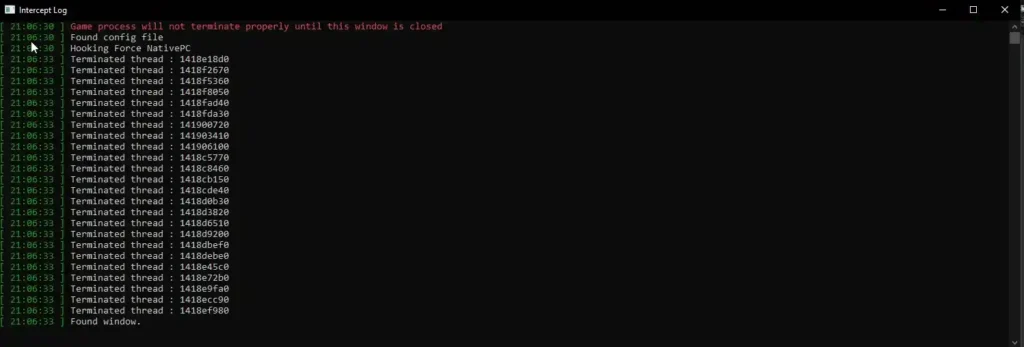
- Verify Installation: Launch the game to ensure it starts without errors. If issues arise, check the mod’s discussion page for troubleshooting tips.
Screenshot
Compatibility and Requirements
- The mod requires the PC version of Monster Hunter World and basic knowledge of mod installation.
- No additional software is explicitly required, but users should ensure their game is updated to the latest patch for compatibility, as of March 2025, the latest noted is patch 15.22 from June 2024 updates.
- The mod is tagged as compatible with the latest game patches, with updates ensuring it works with patch 15.22 as of June 2024.
- It is designed to handle minor game updates without breaking, thanks to the removal of hardcoded addresses in version 4.0.
- Users should monitor for major updates, as delays in mod updates can occur, potentially affecting functionality temporarily.
User discussions highlight that compatibility issues often arise from outdated game versions or conflicting mods, emphasizing the need to keep both the game and loader updated.
FAQ
Is this mod compatible with the latest version of Monster Hunter World?
Does this mod work with other mods?
How do I install this mod?
Can I remove the mod if I don’t like it?
Are there any known bugs or issues with this mod?
Troubleshooting Tips
For users encountering issues, the following troubleshooting steps are recommended, based on community reports and mod author guidance:
- Crash to Desktop on Startup: Ensure you have the latest version of Stracker’s Loader (version 4.0 as of June 2024) and the correct game version. Restart Steam to clear temporary issues. Check Stracker’s Loader at Monster Hunter: World – Mods and community for recent reports.
- Loading Screen Stuck or Game Crashes During Play: Inspect the contents of your nativePC folder for problematic mods. Disable mods one by one to identify conflicts. Ensure your GPU drivers are up to date, as issues with Nvidia drivers (e.g., version 572.xx) have been reported and resolved with updates as recent as February 2025.
- Black Screen on Startup: If experiencing a long black screen (3~5 minutes) after changing game language (e.g., to French), test without ModOrganizer2. This issue, reported in February 2025, was resolved with an Nvidia driver update.
- Game Won’t Start After GPU Driver Update: If a sudden black screen occurs after a GPU driver update (e.g., February 13, 2025 update), check for Windows or driver updates, try a clean install of GPU drivers, and monitor for fixes, as this was resolved with a later driver update.
- Skill Limit Causing Crashes: If crashes occur with more than 52 equipped skills, note this is a known limit since the base game and Iceborne, potentially due to memory corruption. Editing existing skills or stats is an alternative, but no fix is planned due to complexity and multiplayer implications.
- General Mod-Related Crashes: For crashes during specific actions (e.g., entering a tent, character creation), check the nativePC folder for mod issues, test with single mods instead of mod packs, and seek guidance from the mod’s discussion page or community forums.
This detailed analysis covers all aspects of Stracker’s Loader, from installation to user feedback, providing a comprehensive resource for players looking to mod Monster Hunter World. Its role in enabling custom content, such as quests and monsters, adds significant value, particularly for those seeking to extend gameplay beyond the vanilla experience.