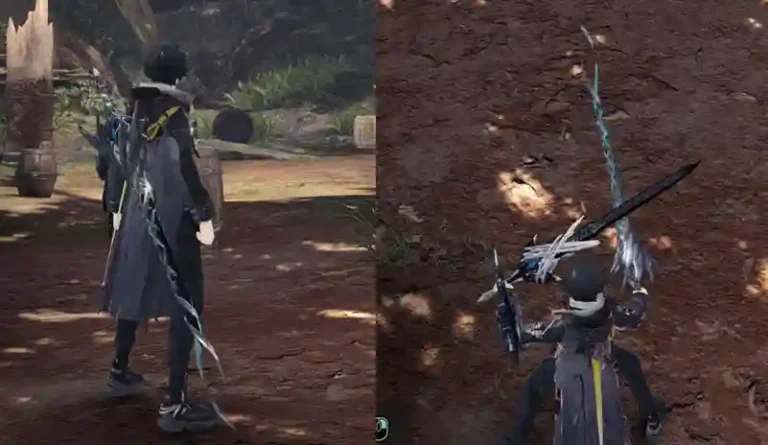
Are you a Monster Hunter World player dreaming of wielding a light saber to slice through Rathalos or Nergigante? The Star Wars X MHW Light Saber Mod brings the iconic Star Wars universe into the wilds of Monster Hunter World, transforming your Dual Blades and Insect Glaives into dazzling light sabers. This mod enhances gameplay efficiency with immersive aesthetics and sound effects without altering the core mechanics, making it a must-have for fans of both franchises.

Mod Concept and Features
The Star Wars X MHW Light Saber Mod replaces the visual and audio effects of Dual Blades and Insect Glaives with those of light sabers, infusing your hunts with the thrill of a Jedi or Sith warrior. Created by the talented modder ryunstage and supported by the DMQW modding group, this mod is hosted on Nexus Mods and has been celebrated for its seamless integration into Monster Hunter World.
Key Functionalities
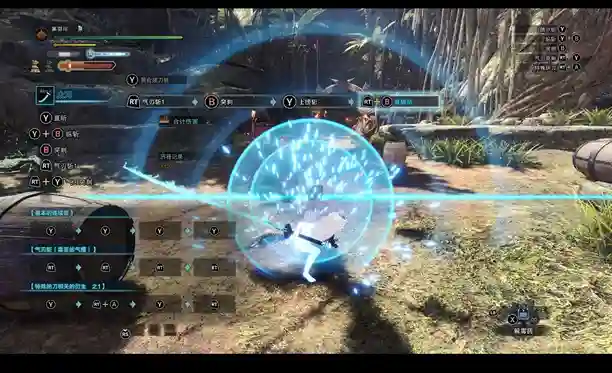
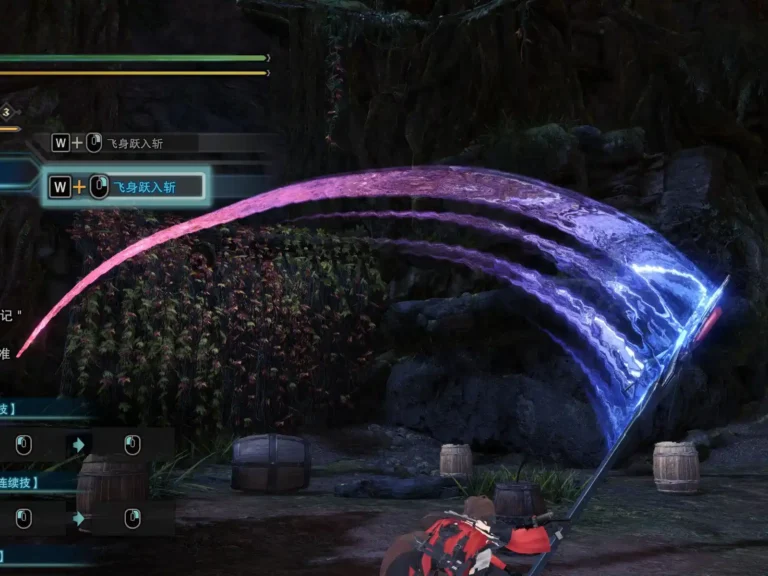
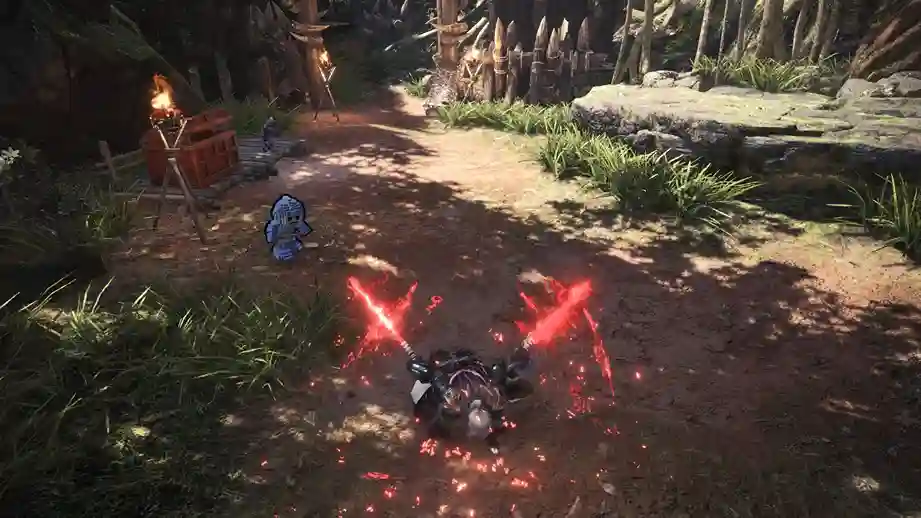
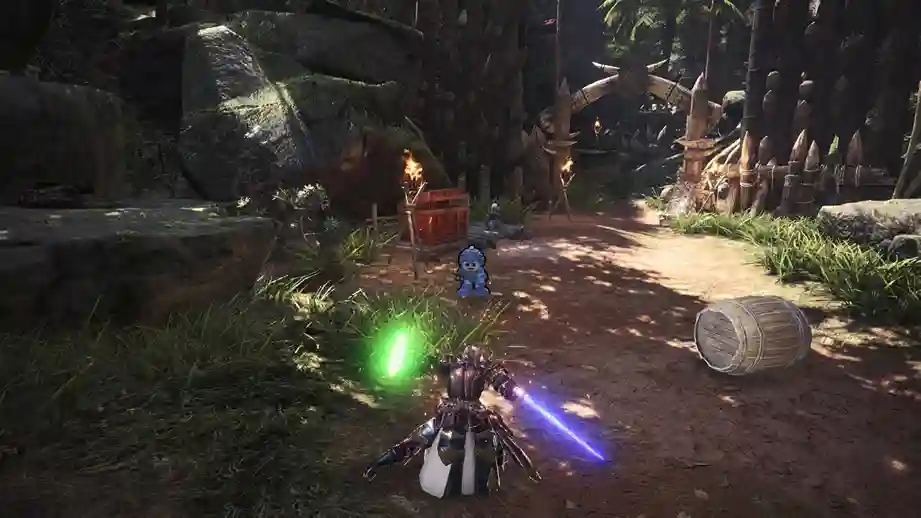
- Visual Overhaul: Dual Blades and Insect Glaives are replaced with glowing light sabers, featuring authentic blue, green, or red blades (depending on the weapon variant). The mod includes dynamic glow effects that react to your attacks, making every swing visually spectacular.
- Authentic Sound Effects: The mod swaps out default weapon sounds for iconic light saber hums, clashes, and activation sounds straight from the Star Wars saga, enhancing immersion without overpowering the game’s audio balance.
- Gameplay Efficiency: The mod maintains all original weapon stats, hitboxes, and mechanics, ensuring that your combat performance remains unchanged. The visual and audio feedback from light saber effects can improve reaction timing, as the distinct glow and sound cues make it easier to track combos and kinsect movements.
- Non-Intrusive Design: Unlike mods that alter damage values or add new mechanics, this mod focuses purely on aesthetics, preserving the vanilla Monster Hunter World experience for purists who want flair without cheating.
How It Improves the Experience
The light saber mod elevates the hunting experience by adding a layer of thematic excitement. The vibrant visuals make it easier to follow your attacks in chaotic multiplayer hunts, while the iconic sounds keep you immersed in the Star Wars fantasy. For players who’ve logged hundreds of hours in Monster Hunter World, this mod breathes new life into familiar weapons, making every hunt feel like a galactic showdown. It’s perfect for solo players looking to spice up their sessions or multiplayer groups wanting to show off their Jedi skills in Astera.
Customization Options
While the Star Wars X MHW Light Saber Mod is primarily a plug-and-play experience, it offers some customization flexibility to suit different playstyles:
- Blade Color Variants: The mod includes options for blue, green, and red light sabers, tied to specific Dual Blade and Insect Glaive models. For example, Nergigante’s weapons might glow red, while Xeno’jiiva’s glow blue. A secondary mod, “Almost all Dual Blades Star Wars” by ZephyAlurus, extends the light saber effect to additional Dual Blade models but removes demon mode sounds for a cleaner experience.
- Sound Toggle: Some users can disable specific sound effects (e.g., demon mode activation sounds) by using the secondary mod variant, which is ideal for players who find certain sounds too repetitive.
- Texture Customization: Advanced modders can tweak textures using tools like MHVuze’s chunktool, allowing for custom blade colors or glow intensities. However, this requires familiarity with Monster Hunter World’s modding ecosystem.
These options ensure that players can tailor the mod to their preferences, whether they want a full Star Wars immersion or a subtler integration.
Compatibility
The Star Wars X MHW Light Saber Mod is designed to work seamlessly with both the base game of Monster Hunter World and the Iceborne expansion. Key compatibility details include:
- Game Version: Compatible with the latest Monster Hunter World patches as of 2025, including Iceborne content. Ensure your game is updated to avoid conflicts.
- Multiplayer: The mod is client-side, meaning it only affects your visuals and sounds. Other players in multiplayer sessions won’t see or hear the light saber effects unless they have the mod installed, ensuring fair play.
- Other Mods: The mod requires Stracker’s Loader and Performance Booster and Plugin Extender for optimal performance, as these are prerequisites for most Monster Hunter World mods. It may overwrite files from other weapon-specific mods, so use a mod manager to avoid conflicts.
- Platform: Available for PC only, as console versions of Monster Hunter World do not support modding.
To ensure compatibility, always back up your game files before installing mods, especially if you’re using multiple mods simultaneously.
Installation Instructions
Installing the Star Wars X MHW Light Saber Mod is straightforward, but it requires a few prerequisites. Follow these step-by-step instructions to get your light sabers swinging in no time.
Prerequisites
- Monster Hunter World on PC: Ensure the game is installed via Steam and updated to the latest version.
- Stracker’s Loader: Download from Nexus Mods. This is essential for loading nativePC mods.
- Performance Booster and Plugin Extender: Download from Nexus Mods to optimize game performance and support additional plugins.
- MHW Mod Manager (Optional): Recommended for managing multiple mods to prevent file conflicts. Download from Nexus Mods.
- Backup Your Save: Navigate to C:\Program Files (x86)\Steam\userdata\YOURSTEAMID\582010\remote, copy the SAVEDATA1000 file, and store it in a safe location.
Installation Steps
- Download the Mod:
- Visit the Star Wars X MHW Light Saber Mod page on Nexus Mods.
- Click “Manual Download” to download the mod’s ZIP file.
- Extract the Files:
- Use a tool like WinRAR or 7-Zip to extract the ZIP file.
- You’ll find a nativePC folder inside the extracted files.
- Install Prerequisites:
- Download and extract Stracker’s Loader and Performance Booster.
- Copy their respective nativePC folders to your Monster Hunter World installation directory (typically C:\Program Files (x86)\Steam\steamapps\common\Monster Hunter World).
- Install the Mod:
- Copy the nativePC folder from the mod’s extracted files to your Monster Hunter World directory.
- If prompted, overwrite existing files (but ensure no other weapon mods are overwritten unless intentional).
- Verify Installation:
- Launch Monster Hunter World.
- Equip a Dual Blade or Insect Glaive and check if the light saber visuals and sounds appear in-game.
- Troubleshooting:
- If the mod doesn’t work, ensure Stracker’s Loader is installed correctly.
- Use MHW Mod Manager to check for file conflicts.
- Revert to your backed-up save if issues persist.
Note: Always install mods at your own risk. Capcom is generally lenient with cosmetic mods, but avoid using gameplay-altering mods in multiplayer to maintain fair play.
Screenshot
User Feedback
Here’s what players might say about the Star Wars X MHW Light Saber Mod, based on its features and community reception:

The Star Wars X MHW Light Saber Mod is a stellar addition to Monster Hunter World, blending the thrill of Star Wars with the intensity of monster hunting. By transforming Dual Blades and Insect Glaives into light sabers, it enhances gameplay efficiency through improved visual and audio cues without altering core mechanics. With easy installation, Iceborne compatibility, and customization options, this mod is perfect for hunters looking to add galactic flair to their adventures. Download it today from Nexus Mods, and may the Force be with you on your next hunt!