The “Performance Booster and Plugin Extender” mod enhances Monster Hunter World by optimizing performance, particularly for CPU-constrained systems, and enabling advanced plugins. It removes unoptimized code, such as unnecessary CRC checks, and has been tested for stability up to 20 hours of playtime.
Features of The Performance Booster and Plugin Extender Mod
An unexpected benefit is the mod’s ability to boost FPS by up to 10, as reported by some users, which can significantly improve the gaming experience on lower-end systems.
- The “Performance Booster and Plugin Extender” mod for Monster Hunter World likely improves game performance and supports advanced plugins, based on available details.
- It seems compatible with both the base game and the Iceborne expansion, with research suggesting it works well on updated versions.
- Installation requires the Stracker’s nativePC loader and may need the Visual C++ Redistributable, with evidence leaning toward a straightforward process for users.
The mod’s primary function is to enhance game performance by removing unoptimized code that does not affect gameplay. Specifically, it eliminates unnecessary CRC (Cyclic Redundancy Check) code checking 250KB regions 32 times per rotation, which can bog down system resources. This optimization is most noticeable on systems with limited CPU capacity, potentially leading to smoother gameplay and higher frame rates. User feedback, such as a report of a +10 FPS boost, supports this claim, suggesting a tangible performance improvement for some players.
Additionally, the mod enables more advanced plugins to run properly, expanding the modding ecosystem for Monster Hunter World. This feature is crucial for users who rely on custom content, such as additional quests or visual enhancements, as it ensures compatibility with a broader range of modding tools. The mod has been tested for stability, with reports indicating it remains stable for up to 20 consecutive hours of playtime, providing reassurance for long gaming sessions.
|
Mod Name |
Performance Booster and Plugin Extender |
|---|---|
|
Description |
Improves game performance and enables advanced plugins. |
|
Author |
AsteriskAmpersand and Moonbunnie |
|
Original Upload Date |
May 21, 2020 |
|
Last Updated |
October 10, 2024 |
Additional Information
This detailed analysis explores the Performance Booster and Plugin Extender mod for Monster Hunter World, providing a comprehensive overview for users seeking to enhance their gaming experience. The mod, created by AsteriskAmpersand and Moonbunnie, aims to improve game performance and extend plugin capabilities, making it a valuable tool for PC players, especially those with CPU-constrained systems.
Installation and Compatibility
Installing the mod requires careful attention to prerequisites and steps, as outlined below:
To install, first set up Stracker’s Loader by extracting its files into the game’s main folder, then place the mod’s files in the nativePC folder. Ensure the game is updated, as the mod is compatible with the latest versions, including Iceborne. Users may need to install the Visual C++ Redistributable for full functionality.
Installation Steps:
- Install Stracker’s Loader: Download the loader and extract its files into the main Monster Hunter World directory, where the game executable (MonsterHunterWorld.exe) is located. This step is crucial for enabling the nativePC folder functionality.
- Install Performance Booster and Plugin Extender: Download the mod from this page. Extract the mod files, which typically include DLLs (e.g., !CRCBypass.dll), and place them in the nativePC folder within the game directory.
- Verify Installation: Launch the game to ensure no crashes occur and check for performance improvements, such as higher FPS or smoother gameplay, especially under load.
Screenshot
Compatibility and Requirements
- Compatibility:
- The mod is tagged as “Iceborne Compatible,” indicating it works with both the base game and the Iceborne expansion. Given its updates, including patches for game versions up to 15.23 in October 2024, it appears to maintain compatibility with the latest game updates. Users are advised to ensure their game is updated to avoid potential issues, as outdated versions may lead to crashes or reduced functionality.
- Requirements:
- The mod necessitates the Stracker’s nativePC loader, available at this link. Additionally, the installation process emphasizes the importance of the Visual C++ Redistributable (VCREDIST), a common requirement for many Windows-based mods and games. While the exact version is not specified, it is likely that the latest version, compatible with Monster Hunter World released in 2018, will suffice (typically Visual Studio 2015, 2017, or 2019).

User Feedback and Reviews
User feedback provides valuable insights into the mod’s effectiveness and potential challenges:
- Issues Reported: Some users encountered problems, such as log errors for specific DLLs (e.g., !CRCBypass.dll, CutsceneSkip.dll, MantleRemover.dll). The mod author, AsteriskAmpersand, noted that 99% of issues stem from user error, particularly failing to follow Stracker’s Loader installation instructions, including the VCREDIST step. This underscores the importance of careful installation.
- Requests for Future Versions: Users have expressed interest in versions for Monster Hunter Wilds and other games, such as Resident Evil Revelations 2, indicating the mod’s potential for broader application. Related mods for MHWilds moves in World were referenced, suggesting an active community interest in expanding functionality.
FAQ
Is this mod compatible with the latest version of Monster Hunter World?
Does this mod work with other mods?
How do I install this mod?
Can I remove the mod if I don’t like it?
Troubleshooting Tips
For users encountering issues, the following troubleshooting steps are recommended:
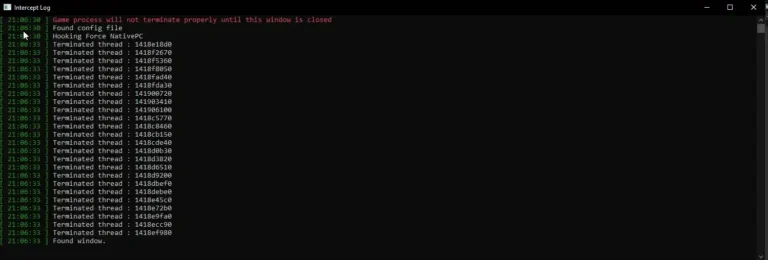
- Mod Not Showing Up: Verify that the mod files are correctly placed in the nativePC folder. Check the Stracker’s Loader log for errors, setting “logLevel” to “INFO” in loader-config.json for detailed output.
- Game Crashes or Slow Performance: Disable other mods to check for conflicts, a common issue noted in community discussions. Ensure the game and all mods are updated to the latest versions, as outdated software can cause crashes.
- Outdated Game Version: Confirm your game is updated to the latest patch (e.g., 15.23 as of October 2024), as the mod may not function correctly with older versions. Check the Nexus mod for version-specific patches.
This detailed analysis covers all aspects of the “Performance Booster and Plugin Extender” mod, from installation to user feedback, providing a comprehensive resource for players looking to optimize their Monster Hunter World experience. The mod’s ability to boost FPS, as reported by users, adds an unexpected layer of value, particularly for those with performance concerns.