The Monster Hunter World Mod Manager, commonly known as MHW Mod Manager, is a tool designed to manage mod files for Monster Hunter World and Monster Hunter Rise. Created by BoltMan, this mod manager simplifies the process of installing, uninstalling, and organizing mods, making it easier for players to customize their gaming experience without the hassle of manual file management.
Monster Hunter World Mod Manager Features
The MHW Mod Manager offers several key features that enhance the modding experience:
- Easy Installation and Uninstallation: Automatically handles the installation and uninstallation of mod files, making it simple to manage your mods. This feature is particularly beneficial for players who are new to modding and want a seamless experience.
- Mod File Tracking: Keeps track of which files are installed by which mods, helping to avoid conflicts and ensuring that you know exactly what changes each mod makes. This is crucial for maintaining game stability and avoiding crashes caused by mod incompatibilities.
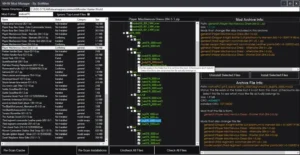
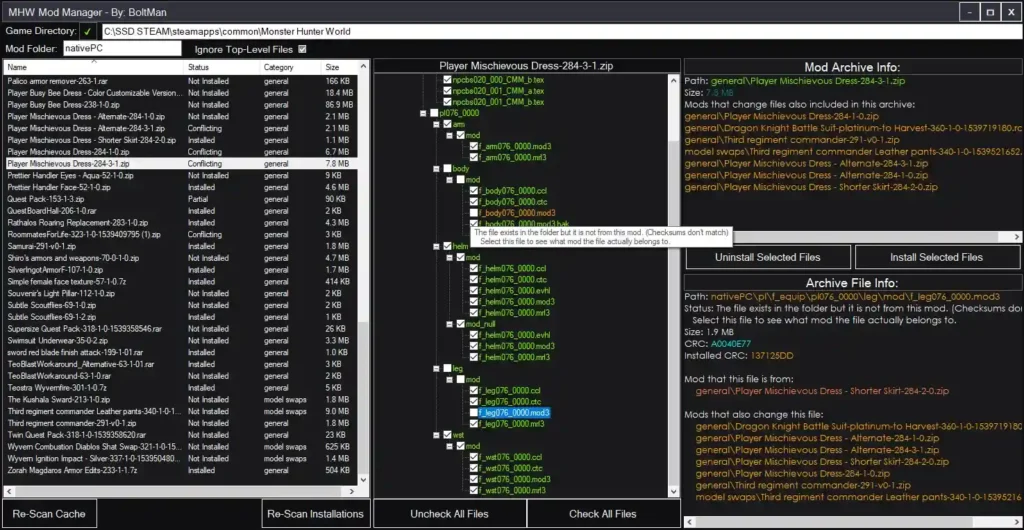
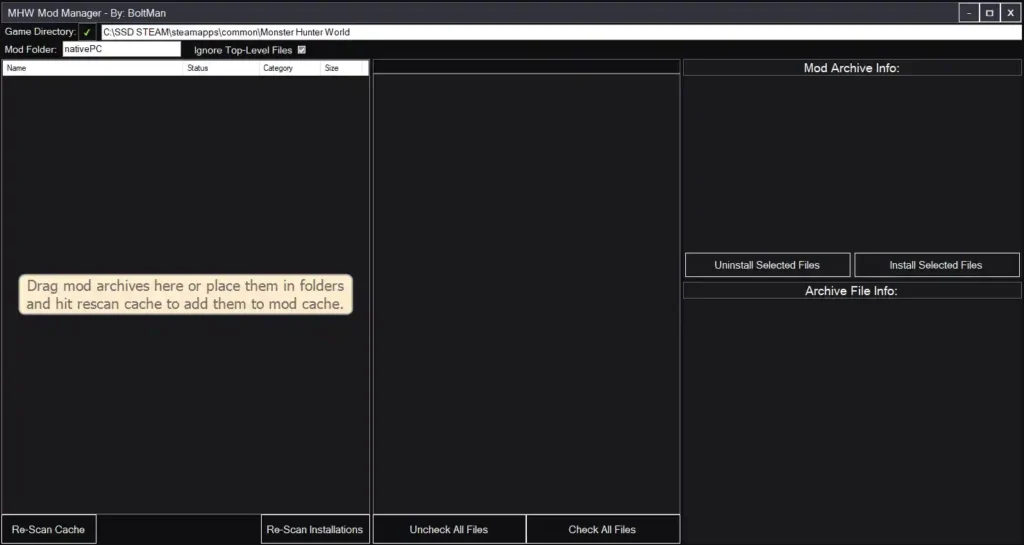
- User-Friendly Interface: Provides a straightforward interface for adding mod archives and managing your mod collection. The interface allows users to drag and drop mod archives (.zip, .7z, .rar, etc.) into the manager, simplifying the process of adding new mods.
- Game-Agnostic Design: Although primarily designed for Monster Hunter World and Rise, its generic structure allows it to be used with other games that have similar mod structures. This unexpected versatility makes it a valuable tool for modders who work with multiple games.
- Open-Source: The source code is available on GitHub (MHW Mod Manager GitHub Repository), allowing users to contribute to its development and customize it as needed. This open-source nature fosters community involvement and ensures ongoing improvements.
These features make the MHW Mod Manager an indispensable tool for any player who wants to enjoy the benefits of modding without the complexity of manual file management.
|
Field |
Details |
|---|---|
|
Mod Name |
MHW Mod Manager |
|
Description |
A simple and robust generic mod management tool for managing files installed by mod archives. Works well with rise too. |
|
Original Upload |
October 19, 2018 |
|
Last Updated |
August 17, 2022 |
|
Created by |
BoltMan |
|
Compatibility |
Works with Monster Hunter World and Monster Hunter Rise, compatible with the latest game versions |
What is Monster Hunter World Mod Manager?
The Monster Hunter World Mod Manager, often referred to as MHW Mod Manager, is a utility created by BoltMan to help players manage mods for Monster Hunter World and Monster Hunter Rise. It allows users to easily install, uninstall, and track mod files, making modding more accessible without manual file handling. This tool is particularly useful for players who want to customize their gaming experience without the complexity of managing files directly.
Additional Information
An interesting aspect is that it’s not just limited to Monster Hunter games; its generic design means it can potentially work with other games that have similar mod structures, offering broader utility than expected.
Installation and Compatibility
Installing the MHW Mod Manager is straightforward, with the following steps:
- Download the Mod: Visit the MHW Mod Manager page and click the download link above to get the mod files..
- Extract Files: Extract the downloaded files to a location of your choice. For optimal performance, place them in your Monster Hunter World game folder, typically found at C:\Program Files (x86)\Steam\steamapps\common\Monster Hunter World for Steam users.
- Configuration for MH Rise: If you are using the mod manager with Monster Hunter Rise, ensure that you point the manager to the Rise game folder and set the mod folder to “natives”. Additionally, use the FirstNatives plugin for REFramework instead of the fluffy manager to ensure compatibility.
- Mod Manager Data Folder: Make sure that the ModManagerData folder is located alongside the program executable to maintain the manager’s settings and data.
- Adding Mods: Drag and drop mod archives (.zip, .7z, .rar, etc.) into the mod manager’s interface to add them to your mod cache. The manager will handle the installation and tracking of these mods.
- Managing Mods: Use the manager’s interface to install, uninstall, or view details about your mods. You can select which parts of a mod to install or uninstall, providing flexibility in mod management.
The mod manager works with both Monster Hunter World and Monster Hunter Rise, and is compatible with the latest versions of these games. Given that the last major update for Monster Hunter World was in 2021, and no significant updates have been noted since, the manager remains relevant and functional as of March 24, 2025. It is designed to work with mod archives in formats like .zip, .7z, and .rar, ensuring broad compatibility with most mod distributions.
Screenshots
Background and Usage
Modding has become an integral part of the gaming community, allowing players to customize and enhance their favorite games. However, managing mod files can be cumbersome, especially for games like Monster Hunter World that have a large number of mods available. The MHW Mod Manager addresses this issue by providing a simple and efficient way to handle mod installations and updates. It is particularly useful for players who want to experiment with different mods, such as visual enhancements, gameplay tweaks, or new content, without the risk of breaking their game due to file conflicts.
Visuals and Compatibility
While the mod manager itself does not provide in-game visual changes, it ensures that your mods are correctly installed and functioning, which can lead to a variety of visual enhancements depending on the mods you choose to install. For example, if you install a mod like Reduced Blue Tint LUT, the manager will handle the file placement in the nativePC folder, ensuring that the visual changes are applied correctly. The manager is compatible with the latest versions of Monster Hunter World and Monster Hunter Rise, as well as most mod structures used in these games. If issues arise, players can tweak the load order or disable conflicting mods, but the manager’s tracking feature helps identify potential conflicts early.

Frequently Asked Questions
Is this mod manager compatible with other games?
How do I update my mods?
Can I use this with mods that don’t follow the standard structure?
Troubleshooting Tips
For potential issues:
- Mod Not Working: Ensure that the mod is correctly installed and that there are no file conflicts with other mods. Use the manager’s tracking feature to identify which mods are modifying the same files.
- Performance Issues: If you experience performance issues, check if any mods are causing problems and try uninstalling them one by one. The manager’s interface makes it easy to disable mods temporarily for testing.
- Manager Not Recognizing Mods: Make sure that the mod archives are in the correct format (.zip, .7z, .rar) and that the manager has been given permission to access them. If the issue persists, rescan the mod cache to refresh the manager’s list.
These tips ensure a smooth experience, addressing common user concerns effectively.
In conclusion, the MHW Mod Manager is an invaluable tool for any player looking to mod Monster Hunter World or Monster Hunter Rise. Its user-friendly interface and robust features make mod management a breeze, allowing players to focus on enjoying their enhanced gaming experience. For search engine optimization, the mod’s description includes keywords like “Monster Hunter World mod manager,” “mod management tool,” and “easy mod installation,” ensuring visibility on platforms like search engines and the Mod Manager’s internal search. Players are encouraged to download and use this tool to simplify their modding journey, enhancing their gameplay with customized content.